
A key can look perfect on the shelf and still do nothing the moment it reaches your ignition. Same shape, same logo, same button layout, and yet the car ignores it. That is why automotive key identification is less about eyeballing a key and more about collecting a few facts about your car and the key you already have.
The good news is that these facts are easy to find. Most sit on your registration card, on the back of your current fob, or on a sticker inside the driver door. Gather them once and you'll know exactly what to ask for when you need a replacement or a spare.
Understanding Automotive Key Types and Compatibility
Before hunting for codes, work out which kind of key your car uses. The type shapes everything that follows, and it's the first step toward automotive key compatibility, since a key only works in a car built to accept its style. You can usually tell the type by how you start the engine and what your current key looks like.
The four common types:
- Transponder keys: a regular metal key with a chip hidden in the plastic head and no buttons
- Remote head keys: the blade and the remote buttons built into one piece, sometimes folding out like a flip key
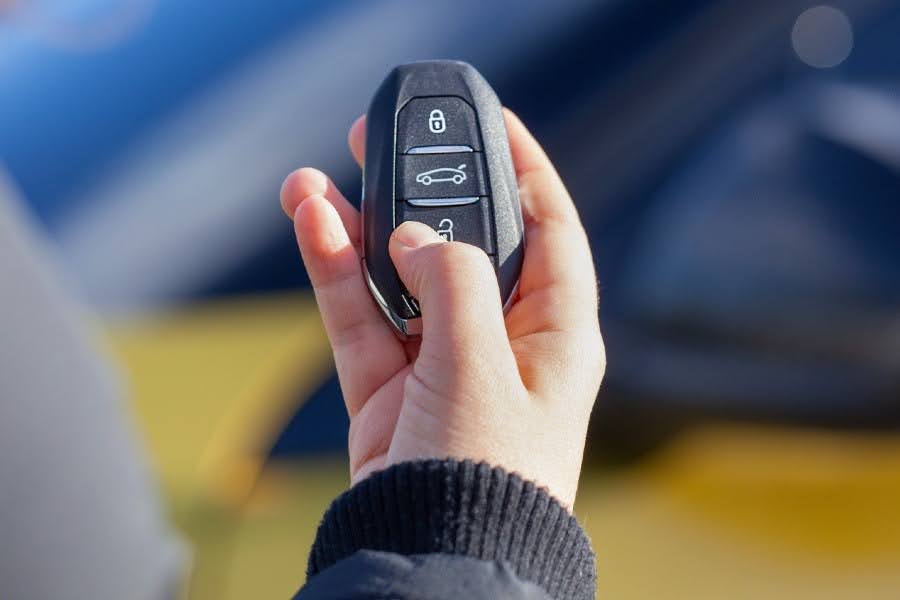
- Smart keys: a fob that stays in your pocket while you start the car with a push button
- Standalone remotes: a separate fob that only locks and unlocks, used next to a regular key
How Vehicle Information Affects Key Selection
Your car's details turn a long list of keys into a short one. Make, model and year come first, but a year on its own can mislead, because carmakers often change key styles partway through a model run. Collecting this vehicle key information takes about two minutes and saves a lot of second-guessing later.
Write these down:
- Make, model and year exactly as shown on your registration
- Trim level or package, since a base model and a fully loaded one can use different keys
- How the car starts: a turn-key ignition or a push-button start
- What your fob does today, such as remote start, trunk or hatch release, power doors or a panic button
If the old key is gone, your vehicle identification number, or VIN, fills the gap. You'll find it at the base of the windshield on the driver's side, on a sticker inside the driver door, and on your registration or insurance card. A parts specialist can use it to confirm the trim and build date that point to the right key.
Understanding FCC ID, OE Numbers, and Part Numbers
Keys carry short codes the way people carry ID cards, and two keys that look identical can carry different ones. Turn your current key over and check the back, or look under the battery cover. The FCC ID is often printed there, and it names the exact radio part inside the fob. The other codes usually come from a parts lookup or a product listing.
Code | Where to find it | What it tells you |
FCC ID | Back of the fob, under the battery cover, or inside the case | Which radio part the key uses |
OE number | Carmaker parts catalogs, dealer lookups, sometimes stamped on the original key | Exactly which key the carmaker built for your car |
Key part number | Product listings and the key maker's catalog | Which replacement lines up with that original |
OE stands for original equipment, so the OE number is simply the number your carmaker gave the key that came with the vehicle. Replacement keys often say "replaces" followed by that number, which makes matching quick. If you can confirm two of the three codes, you can be fairly confident about the match.
Key Frequency and Transponder Information
A key has two quiet jobs. The first is talking to your car by radio, which is what the lock and unlock buttons rely on. That radio signal runs on a set frequency, and it has to be the one your car listens for. The second is the chip inside, which acts like a secret handshake with the engine. A key with the wrong frequency may have buttons that do nothing, and one with the wrong chip can open the doors yet refuse to start the car.
Worth checking in any listing:
- The frequency number shown for the key
- The chip name or number, which is the transponder information you want to see spelled out
- Whether the key arrives needing to be programmed to your car
Product Specifications and Selection Guidelines
Once your details are collected, compare them with the key you're considering. One mismatch is a reason to pause, not to hope for the best. Checking in the same order every time keeps it quick and keeps you from skipping the boring-but-important parts.
A five-point match:
- Your make, model and year fall inside the listed range
- The FCC ID matches the one on your current key
- The OE or key part number lines up with the original
- The button count and functions are the same
- The chip and frequency are both listed and agree with your car
If a listing leaves any of these out, ask before you order.
Common Mistakes to Avoid
The most common slip is trusting looks. Keys for different cars can share a blade shape and a logo, so a photo proves very little. Another is stopping at the year range and skipping the trim, which is often where the real difference hides.
Then there's the listing that shows no codes at all. If a seller can't say what a key replaces, you're being asked to guess. Button counting causes trouble too. A three-button fob and a four-button one can look almost identical at a glance, yet only one of them runs the trunk release your car has.
Conclusion
Automotive key identification gets simple once you know what to look for: your car's make, model, year and trim, the codes on your current key, and a clear idea of what each button does. Snap a photo of the back of your key and save your VIN in your phone, and you'll be ready the next time a key goes missing or a spare is needed. Transponder Island lists FCC IDs, OE part numbers and chip details alongside its keys, and lets you narrow results by make, model and year, so the details you collected line up with what's on the shelf.
FAQs
How do I identify the correct replacement key for my vehicle?
Begin with your vehicle’s make, model, year and trim. Then compare the replacement’s key type, part number and FCC ID, where applicable, with those of your original key.
Can I find a compatible car key using my VIN?
Yes. A dealer or auto locksmith can use your VIN to help identify the correct key or part number.The replacement key may still need to be cut and programmed before it can be used.
Where can I find the FCC ID and part number on my key fob?
First, check the back of your key fob.Depending on the model, you may find these details inside the battery compartment or on the internal circuit board.
Does a matching FCC ID mean a replacement key is compatible with my car?
Not always. Two keys can share an FCC ID but have different electronics. Check the part number, frequency and transponder chip against your vehicle’s requirements before buying.
How can I check which transponder chip and frequency my car key needs?
An auto locksmith can read your existing key’s transponder chip and test its remote frequency. If the key is missing, a dealer or locksmith can help identify both using your VIN and vehicle details.