
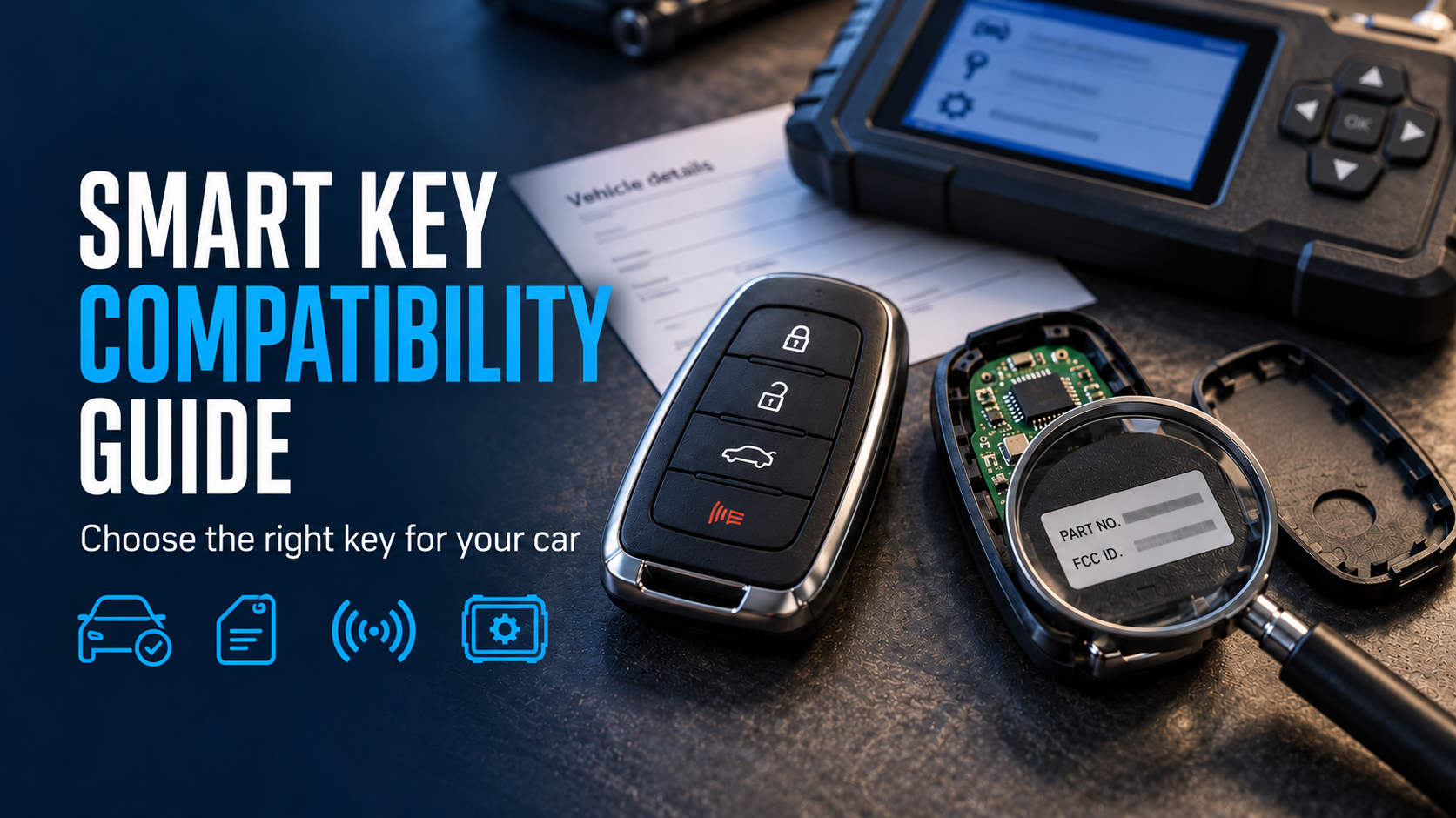
Your car won't unlock, the battery in your old key has finally given up, and the replacement you ordered arrives three days later looking identical and doing absolutely nothing. A smart key fob can be a perfect visual twin of yours and still speak a different signal to your car. That gap between "looks right" and "works right" is what we're closing here.
Here's the route: what a wrong key really costs, the details that point to the right one, how to verify it, and the last checks before you pay.
Why Smart Key Compatibility Matters
A car smart key isn't a piece of metal you can test at the counter. It sends a small radio signal that your car listens for, and if the signal isn't the one your car expects, the doors stay shut and the engine stays quiet. The cost shows up in several places at once: money spent on the wrong key, days lost waiting on a return, and often a locksmith's call-out fee on top because you still can't drive. Nobody plans for that last part. Getting the match right before ordering saves all three, and it starts with knowing which facts actually identify a key.
What Information Helps Identify a Compatible Smart Key?
Forget the shape of the fob. Looks are the least reliable clue you have. A key is pinned down by a short list of facts, some you can read off the car and a couple you can read off the old key.
Vehicle Make, Model, and Year
- Make and model: the exact name, including trim words like Sport, Limited or Hybrid
- Year: the model year, not the year you bought it (your registration papers or the door-jamb sticker settle any doubt)
- Start type: push-button start or a key slot, since some models offer both
- Button count: count them all, including panic and boot buttons
- Region: where the car was first sold, because the same model can differ between markets
- VIN: the 17-character code on the dashboard or your papers, the one detail that removes guesswork
Part Number and FCC ID
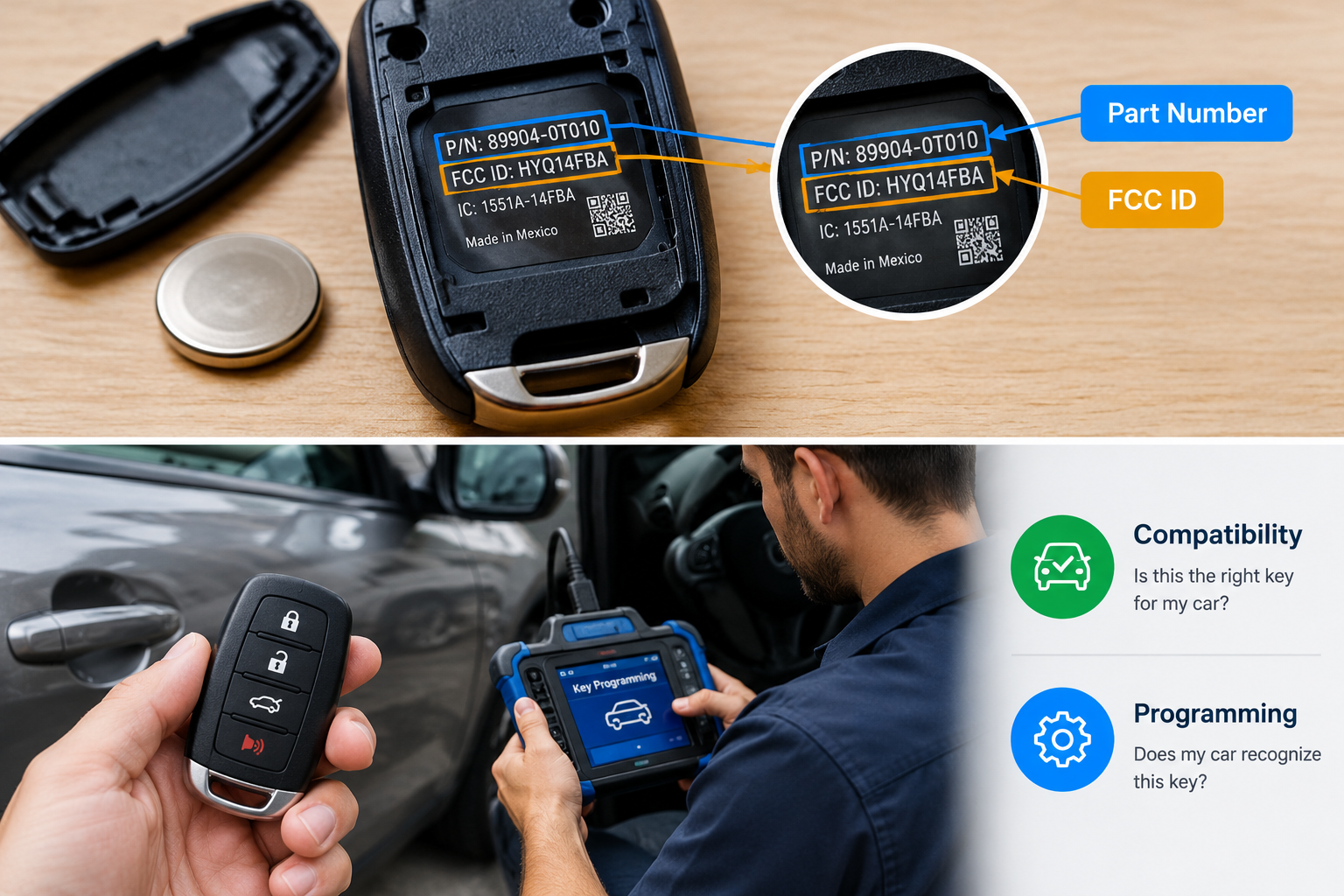
Flip your old fob over, or open the casing. Somewhere on the back or inside you'll find small printed codes. The first is the smart key part number, a string of letters and digits the maker assigned to that exact fob. It's the closest thing a key has to a name tag. The second is the FCC ID, a short code that points to the radio signal the fob uses.
Think of the part number as "which key is this" and the FCC ID as "which language does it speak." Two fobs can share an FCC ID and still differ in other ways, so you want both codes to line up, not just one. If the old key is lost and the codes are unreadable, your VIN and a quick lookup with a dealer or locksmith will give you the same answers.
How to Check Smart Key Compatibility
A short routine beats guesswork. Run through these in order and smart key compatibility mostly answers itself:
- Write down your make, model, year and VIN from the papers.
- Read the part number and FCC ID off your current fob, if you still have it.
- Search the two codes together and see which listings carry both.
- Compare the listing photo with your key, button for button.
- Ask the seller to confirm your VIN or model in writing.
- Find out whether the fob arrives ready to use or needs to be set up.
That last step is where plenty of buyers get caught, because a key that fits your car still has to be introduced to it.
Smart Key Compatibility vs. Programming
Compatibility | Programming | |
The question it answers | Is this the right key for my car? | Does my car recognize this key? |
When it happens | Before you buy | After you buy |
Who handles it | You, using the details above | You, a locksmith or a dealer with the right tool |
If it goes wrong | The key never works | The key is right, but the car ignores it |
Think of a house key: one question is whether it's cut for your door, the other is whether the lock has been told to accept it. Smart key programming can take minutes on some cars and needs special equipment on others, so it's worth knowing which kind yours is.
Common Reasons a Smart Key May Not Be Compatible
A smart key fob can match your make, model and year on paper and still fail, and the reasons are usually small. Makers change parts mid-year, so a car built in March can use a different fob from the same model built in October. Trim levels matter too: a base model and a top trim may share a body but not a key. Button layout is another trap, since a three-button fob and a four-button one look almost the same in a photo.
Then there's region, because a car imported from another market may expect a different signal altogether. And sometimes the old key was itself an earlier replacement, which means the codes on it belong to a part that was never the original. These are everyday reasons a "right" key turns out wrong, which is why the next step is about choosing carefully rather than quickly.
How to Choose the Right Smart Key Before Ordering
Once you know what your car needs, vehicle key compatibility turns into a choice between a few real options. An original-maker fob is the safest bet for an exact match and keeps every feature, though it costs more. A well-made replacement can do the same job for less, as long as its codes line up with the ones you wrote down.
Think about how you use the key, too. If you rely on remote boot opening or a remote start button, pick a fob that carries those buttons, because a cheaper two-button version will quietly drop them. And if you're buying a spare, ask whether it can copy the settings from your current key, which can make setup quicker. Choose the option that fits your car first and your budget second, then you're ready for the final round.
What to Check Before Buying a Smart Key
Last look before you pay. Tick each one:
- Part number and FCC ID both match your old key
- Button count and layout match your photo
- The seller has confirmed your VIN or model and year
- The return policy covers a key that doesn't work with your car
- Setup instructions or support are included
- The battery type is stated, so you can swap it later
- Delivery time fits how long you can manage without a key
Common Smart Key Compatibility Mistakes to Avoid
Most failed orders come from the same few slips, and a smart key fob is easy to get wrong because everything about it looks right.
Mistake | What happens | Quick fix |
Buying by photo alone | The key looks right but sends the wrong signal | Compare the codes, not the picture |
Trusting the model name only | A different trim or mid-year version arrives | Add year, trim and VIN |
Assuming a used fob is ready to go | Some stay locked to their old car and can't be reused | Ask the seller if it's been reset |
Borrowing the idea from a friend with the same model | Their key suits their car's year, not yours | Use your own codes |
Waiting until the last key dies | No old fob to read codes from, and the cost climbs | Get a spare while one still works |
The Short Version
Choosing a key comes down to a few facts and a calm five minutes before you pay. Write down your car's details, read the codes, compare them with the listing, and ask how setup works. If you'd like a second opinion on a specific fob, Transponder Island can help you line up the details with your car before you order.
FAQs
How do I check smart key compatibility for my car?
Start with your VIN and the codes on your old fob, then compare them against the listing. If something's missing, a dealer or locksmith can read it off the car.
Is the smart key part number important for compatibility?
Yes, it's the fastest way to name the exact fob. Pair it with the FCC ID though, because a lone number can mislead.
What is the difference between smart key compatibility and programming?
Compatibility is choosing the right fob. Programming is getting the car to accept it, a bit like picking a SIM and then activating it.
Can two similar-looking smart keys have different compatibility?
Easily. The shell can be identical while what's inside is different, so the codes matter more than the photo.
How does the FCC ID help identify a smart key?
It's a fingerprint for the fob's radio signal. Matching IDs tell you two keys broadcast on the same terms, which rules out a big chunk of wrong buys.